
Skyline dispatch
Taxi dispatch software that follows your rules.
Rides from the call centre, the passenger app, hotels and businesses arrive in one environment. Skyline dispatches them automatically according to your organisation, and the call centre stays in control when needed.
Centralise
Every request in one place.
Whatever the channel, rides land in the same dispatch system. The call centre sees all activity and no longer has to juggle several tools.
Call centre
Phone requests are created by your operators.
Explore the call centre interfacePassenger app
Passengers book a taxi now or in advance.
Explore the passenger appHotels and businesses
Your partners book from their secure interface.
Explore the partner interface
Track
Every ride follows a visible path.
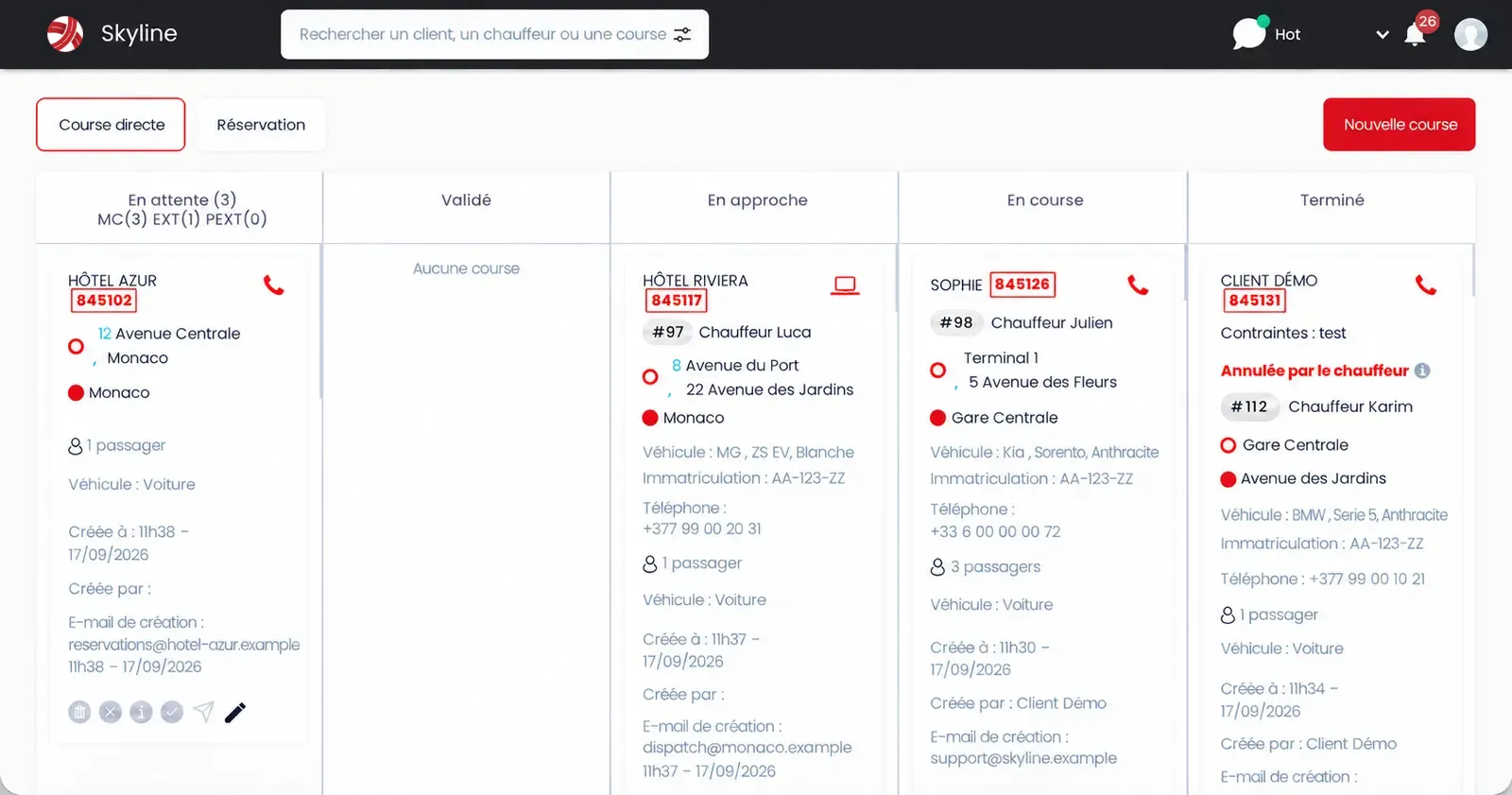
The dispatch board sorts rides by stage. Operators see at a glance what is waiting, what is on the road and what is done, and can search for a passenger, a driver or a ride.
- PendingWaiting to be handled
- ConfirmedThe request is confirmed
- En routeThe driver is heading to the passenger
- In progressThe passenger is on board
- CompletedThe ride is closed
Your network, your rules
Dispatch configured around how you operate.
Skyline does not force a fixed model on you. The system is configured around your zoning, dispatch rules, vehicle types, constraints and the way your call centre is organised.
Dispatch rules
Algorithms and assignment rules set up for your network.
Zoning
Ranks and zones defined around your territory.
Priorities
Priority rules adapted to your organisation.
Bookings
Immediate rides and advance bookings handled in the same system.
Vehicles and constraints
Vehicle types, services offered and constraints taken into account.
Evolution
Features that evolve with your usage and your volume of activity.
Automate without losing control
The call centre steps in when needed.
Dispatch is automatic, but it is not a black box. Operators can create an immediate ride or a booking, edit a request and handle special cases from the same screen.
- Immediate rides and bookings
- Search by passenger, driver or ride
- Creation history for every ride
That is the volume handled by Skyline dispatch on a network of 130 drivers facing strong swings in demand.
Admin interface
Network configuration, in one place.
The admin interface lets you configure the network, profiles, zones, constraints and dispatch rules, and view overall statistics.
- Dispatch and assignment rules
- Zones and ranks
- Profiles and access rights
- Vehicle categories and services
 Skyline
A solution adapted to your operating rules
Overall organisation of the assignment rules.
Geographic structure adapted to the network.
Access rights for each role.
Categories and services offered to passengers.
Let’s talk about your network
Let’s see how to configure dispatch for your network.
Tell us how your network operates: we will get back to you to understand your needs and give you a demo.